Zillow · Voyager · 2026
AI product experiences: contextual prompts and home-fit summaries
Led the launch of contextual prompts across for-sale and rental pages on web and mobile.
- My role
- Directed Content Design delivery for contextual prompts and the confidence approach for summaries
- Worked with
- A Senior Content Designer, a Model Design partner, Product, Design, Engineering and Data Science
- Scope
- For-sale and rental detail pages, web and mobile
- Status
- Prompts shipped. Home-fit summaries continue as a separate workstream
Share of detail-page users submitting a Voyager query on desktop web, Feb 18–22, 2026. Mobile web rose 1.87 points.
Average daily prompts after launch.
Voyager daily active users after launch.
Early rollout. Roughly 0.4% of authenticated users with Voyager access had exposure, so read these as early signal. Details in Results.
The problem
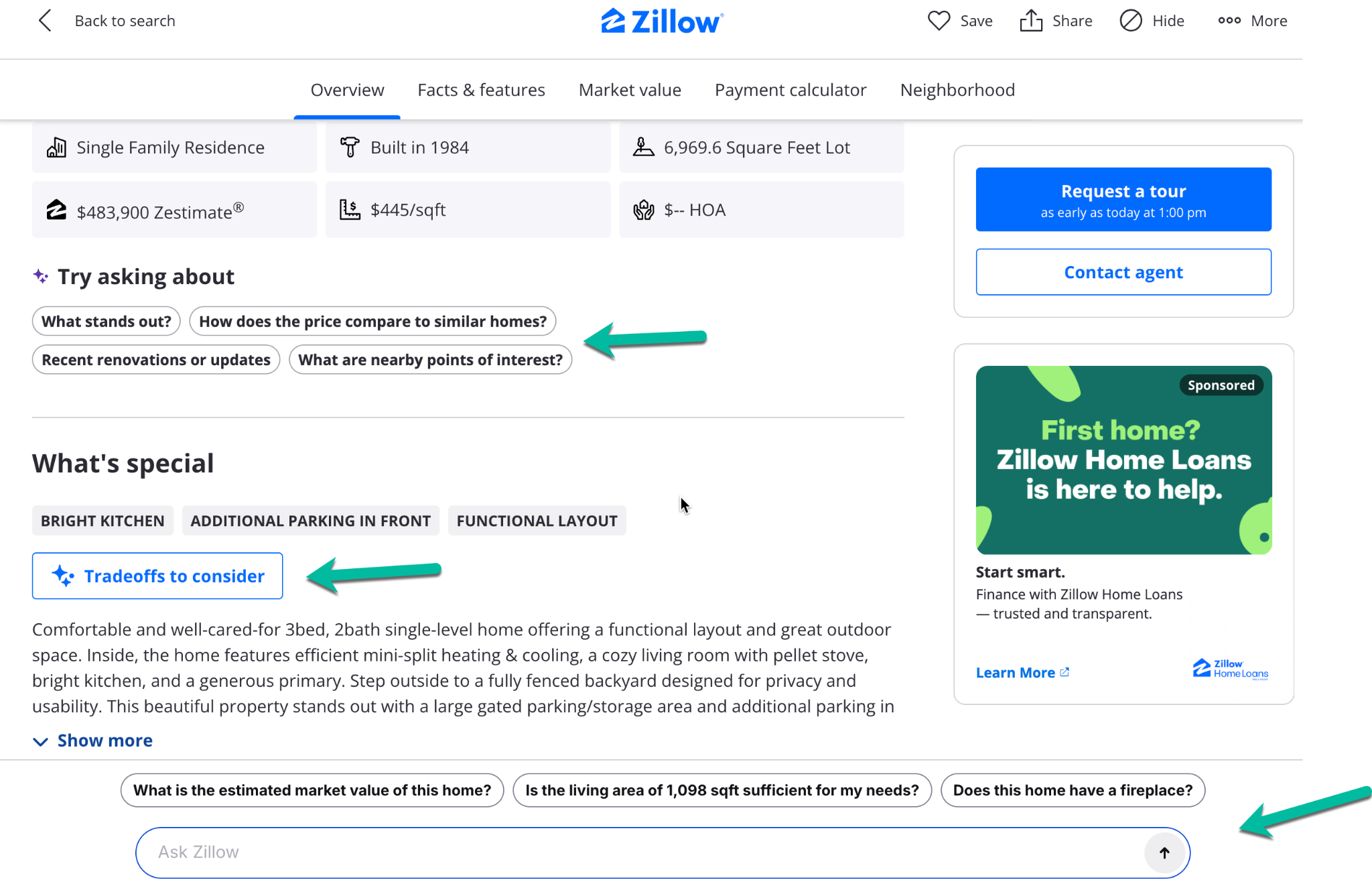
On a home detail page, a suggested question has to match the decision someone is making, feel easy to ask, and lead to an answer the system can support.
What I did
I directed delivery of contextual prompts as product behavior design, not a wording pass. In parallel we built a separate confidence approach for home-fit summaries, so a recommendation's strength follows the evidence.
What happened
Prompts shipped on for-sale and rental detail pages. Query starts and daily use rose through the early rollout. Home-fit summaries are still in development.
The problem
A good prompt answers the question someone is already asking
The team needed to make AI easier to find while someone evaluates a home, and to learn whether contextual entry points changed query behavior.
It matches the decision
The suggestion fits what the person is weighing on this page, at this moment.
It feels easy to ask
One tap, in the flow of the listing, without writing a question from scratch.
It leads to a supported answer
The system can answer it well, so the promise in the prompt is one the product can keep.
Two workstreams, two claims
Home-fit summaries address a related but distinct challenge: a personalized assessment has to reflect the strength of the property and mover evidence available. Prompts shipped and fit-summary work continues, so each keeps its own claims and measures.
My role
I aligned the work and made room for specialists
Prompt selection touches product, model and data decisions at once, so I directed delivery and put people with the right craft in the lead.
What I led
Content Design delivery for contextual prompts across for-sale and rental detail pages on web and mobile. I connected each prompt to the customer's decision and to the answer the experience could responsibly provide.
Who led the detail
A Senior Content Designer on my team led prompt finalization and home-fit summary strategy.
Who built it with us
A Model Design partner co-created prompt guidance with Product, Design, Engineering and Data Science. Together we developed a separate confidence approach for summaries.
The experience
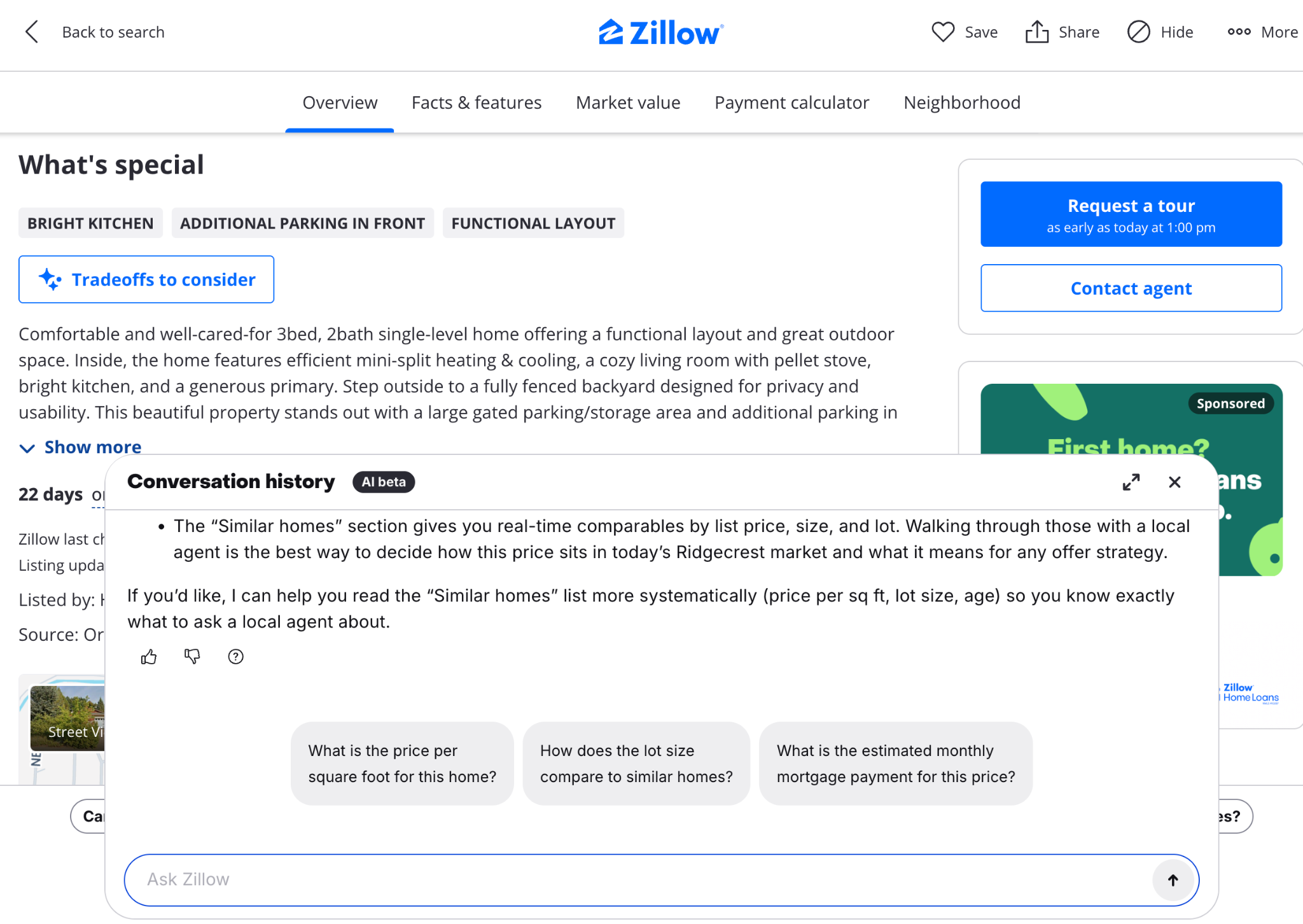
From a listing decision to a supported answer
Each step has a job for content. The last check is the one that keeps the prompt honest.
- Moment
A home decision
Someone is weighing a listing on a for-sale or rental detail page.
- Entry point
A contextual prompt
A suggested question, such as “Trade-offs to consider,” sits within the listing details.
- Behavior
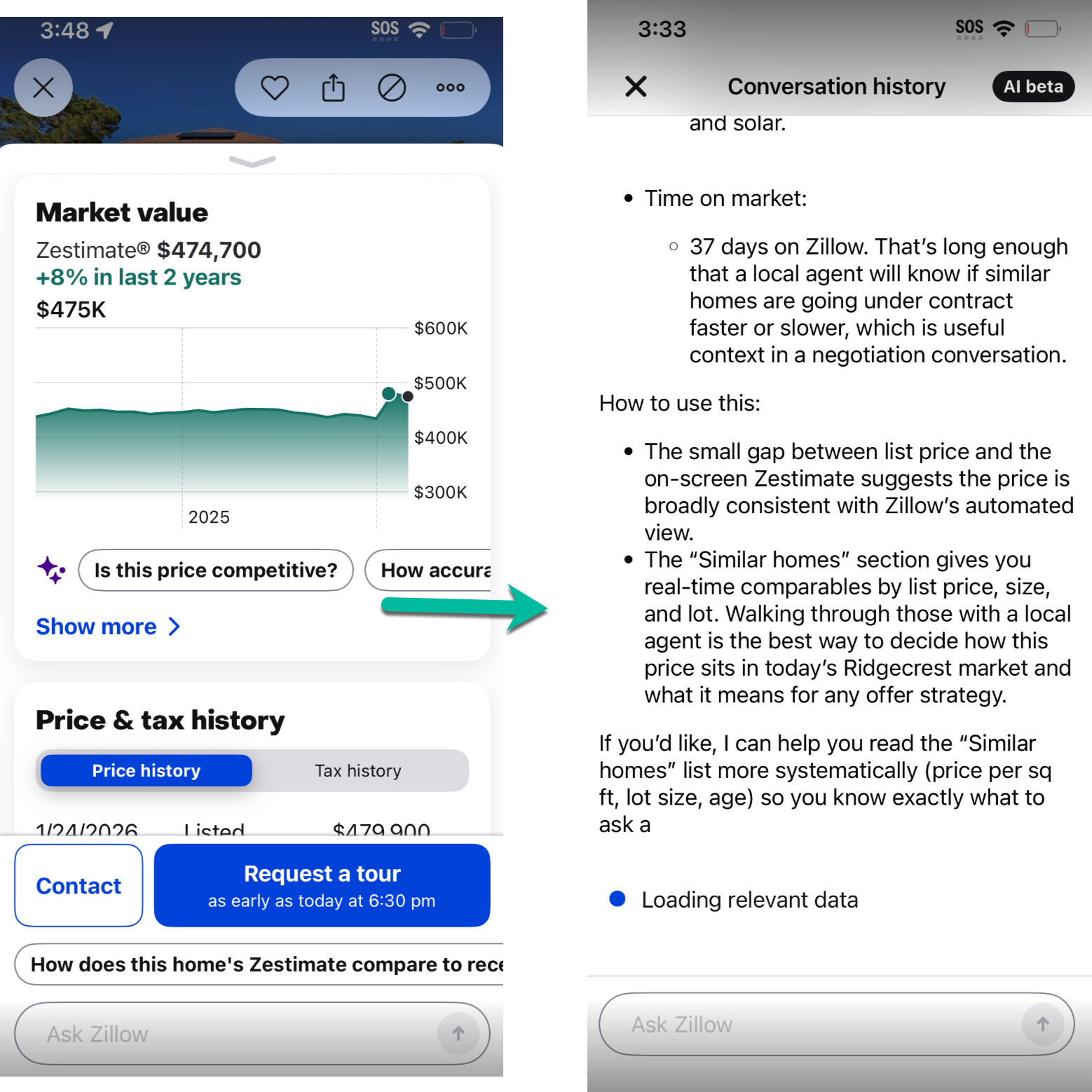
A Voyager response
The prompt opens a conversation and returns an answer.
- Check
An answer we can support
The prompt is only worth showing if the system can answer it well.
Results
More people started a question, and used it more often
The launch readout showed increased query starts and daily use as the experience rolled out. The numbers are early and the exposure is small, so I state both.
Query starts
The share of detail-page users who submitted a Voyager query rose on both platforms.
Percentage-point change, February 18–22, 2026. Bars scale from 0 to 4 points. Source: launch readout.
Daily use after launch
Average daily prompts
Voyager daily active users
Which entry point earned the click
Contextual entry points drew about 322 clicks from 228 unique users per day.
Clicks. Bars scale from 0 to 700.
How to read this
During the early rollout, roughly 0.4% of authenticated users with Voyager access had exposure. As rollout expands, the next readout can compare query starts with the original 100-basis-point target.
Home-fit summaries
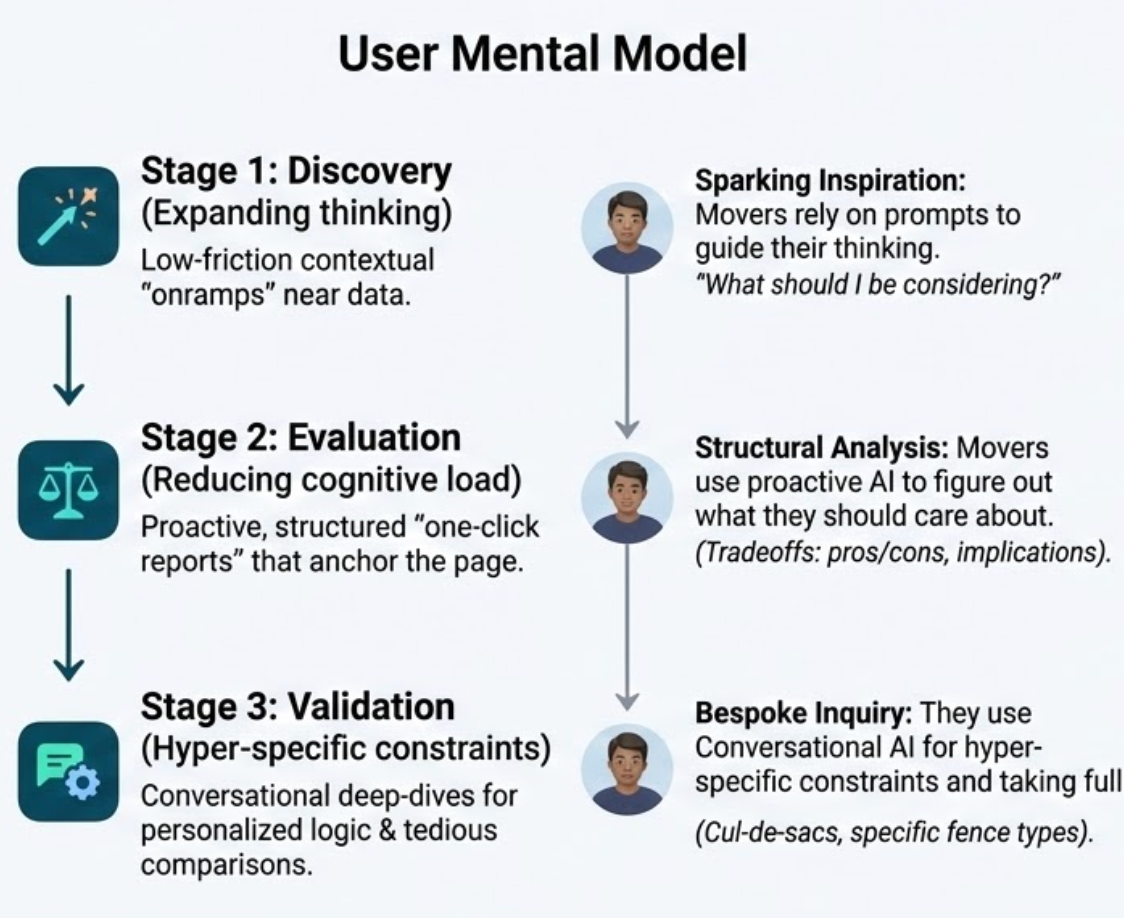
Say as much as the evidence supports, and no more
A personalized verdict built on thin evidence erodes trust. The approach we developed lets the strength of a recommendation change with what we know.
What stands out
A cold-start view of the home. It describes without issuing a personal verdict.
Cold startA hedged middle tier
It leans on what we know and says plainly what it does not.
HedgedHow this home fits you
A fuller assessment that shows both what fits and what deserves consideration.
Higher confidenceHow I will judge it, apart from engagement
Groundedness
Is each claim backed by property or mover evidence?
Unsupported-claim rate
How often does the summary say more than the evidence allows?
Preference coverage
How much of what the person told us does the summary use?
Usefulness and next steps
Customer-rated usefulness, and meaningful next-step completion.
Tradeoffs
What I chose, and what I gave up
The honest version of this launch is narrower than the exciting one.
Separate claims for prompts and summaries
BuysResults I can state plainly, without a shipped feature vouching for one still in development.
CostsA headline that covers prompts only.
Visible confidence over a confident verdict
BuysTrust when evidence is thin, with a recommendation that grows as we learn.
CostsA plainer first view for people we know little about.
An early readout over waiting for scale
BuysEarly signal on query starts and daily use while the rollout is still moving.
CostsA small exposed group, so every claim stays narrow.
What comes next
Measure the answer, not only the question
Query starts show that a prompt worked as an invitation. They do not show that the answer helped.
A defined comparison and window
Pair query entry with response quality, useful next steps and sustained engagement. Keep platform, cohort and timing attached to every result, so a change in rollout is not mistaken for content impact.
Make confidence visible
Ship the cold-start view, the hedged middle and the higher-confidence assessment, then evaluate groundedness, unsupported claims, preference coverage, usefulness and next steps on their own terms.